Customer LookUp
CounterPoint Touchscreen offers two ways to look up a customer:
- A small Enter Customer window that appears when touchscreen launches, and at the conclusion of every ticket
- A larger Customer LookUp window that appears when you tap the Cust Lookup button in touchscreen
The Enter Customer Window
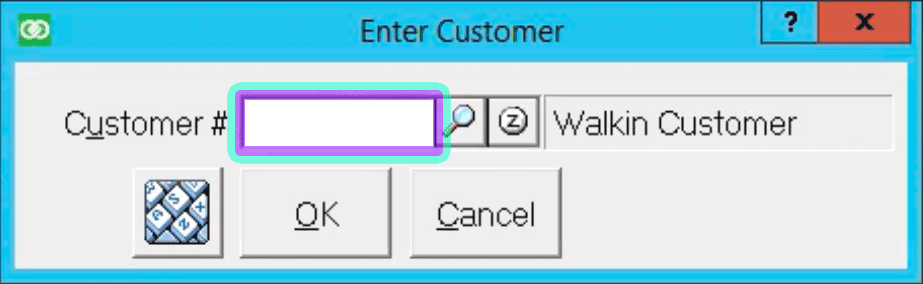
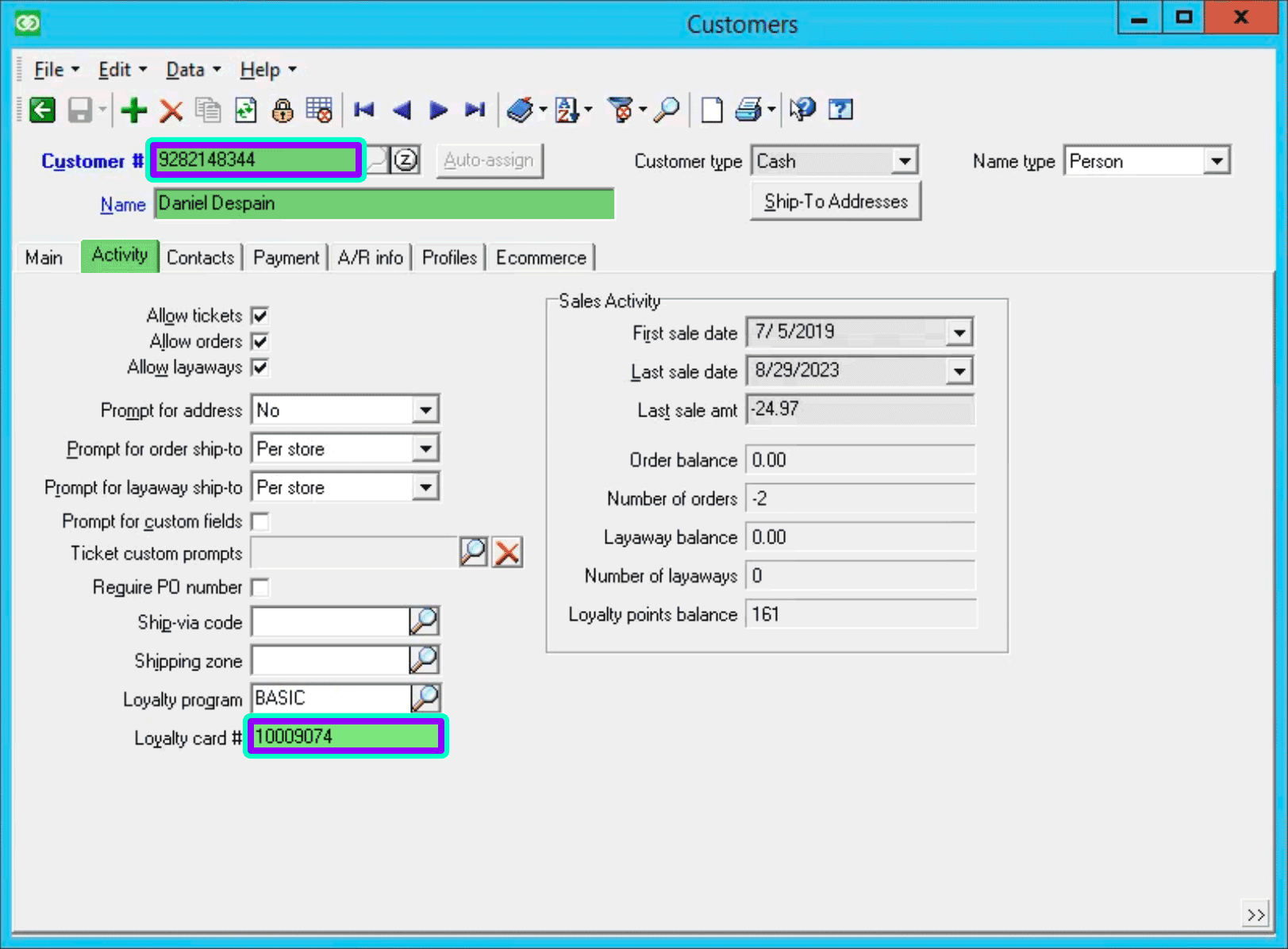
Values entered in this field are only matched exactly against 2 fields:
- Customer Number
- Loyalty Card
The Customer LookUp Window

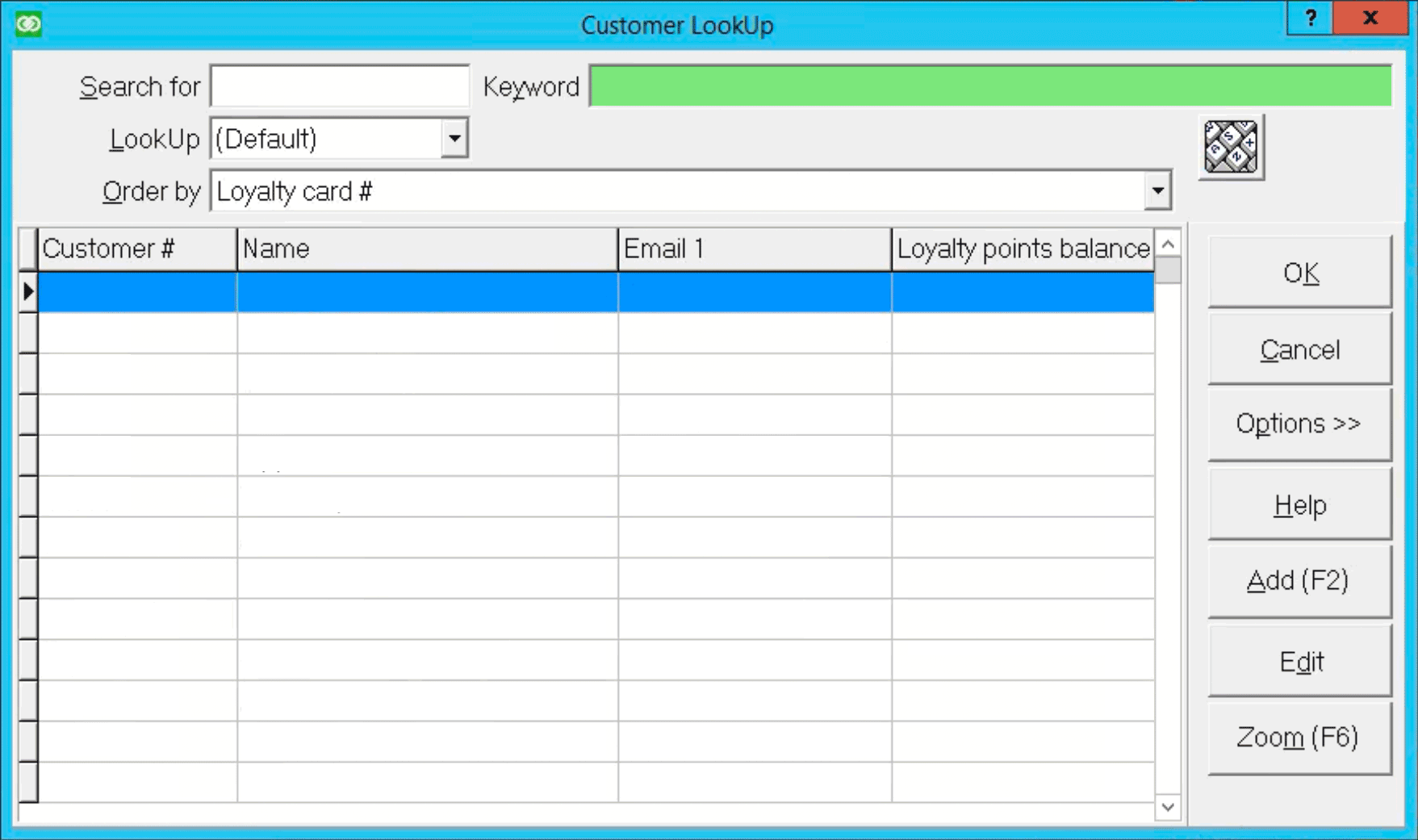
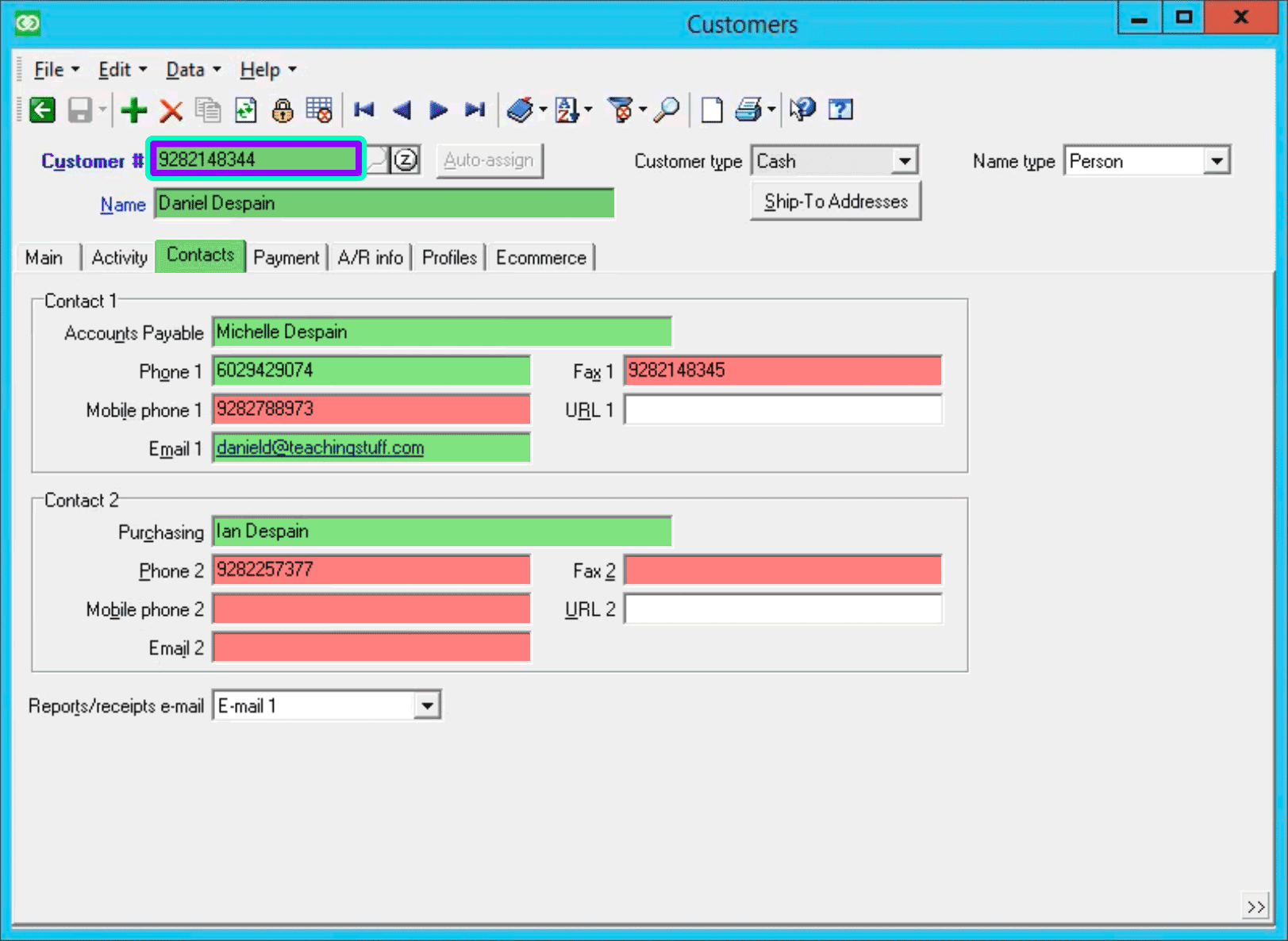
Values entered in the Keyword field are matched against many fields — some of which are not shown in the results table. Fields searched are highlighted in green on the associated customer window tabs.
- Customer #
- Name
- First Name
- Last Name
- Phone 1
- Email 1
- Loyalty card #
- Contact 1 name
- Contact 1 phone 1 (duplicate of primary phone 1)
- Contact 1 email 1 (duplicate of primary email 1)
- Contact 2 name
Searching for Customers
- Values are matched as "contains" meaning partial strings work really well:
"mar"will match:- "Mary"
- "Marianne"
- "Tamara"
- "Omar"
- "judy@flagstaffmarshalelementary.org"
- Multiple values, separated with a space, can be entered in any order:
Jane SmithSmith Jane
- If multiple values are entered, every value must be found in at least one searched field:
"mar jon"will match:- "Mary Jones"
- "Omar Rajoni"
"mar jon"will not match:- "Trudy Jones (because "mar" isn't in any searched field)
- "Mary Smith (because "jon" isn't in any searched field)
- Searching works for more than names:
-
"928 gmail"will find all customers that have "928" in any searched field and that have "gmail" in any searched field- 928-214-8344 ruth@gmail.com
- 309-286-4133 Elden@gmail.com
-
"602 9074"will find all customers that have "602" in any searched field and that have "9074" in any searched field- 602-942-9074
- 219-907-4602
- 818-773-9074 — Customer # 1-0001602
-
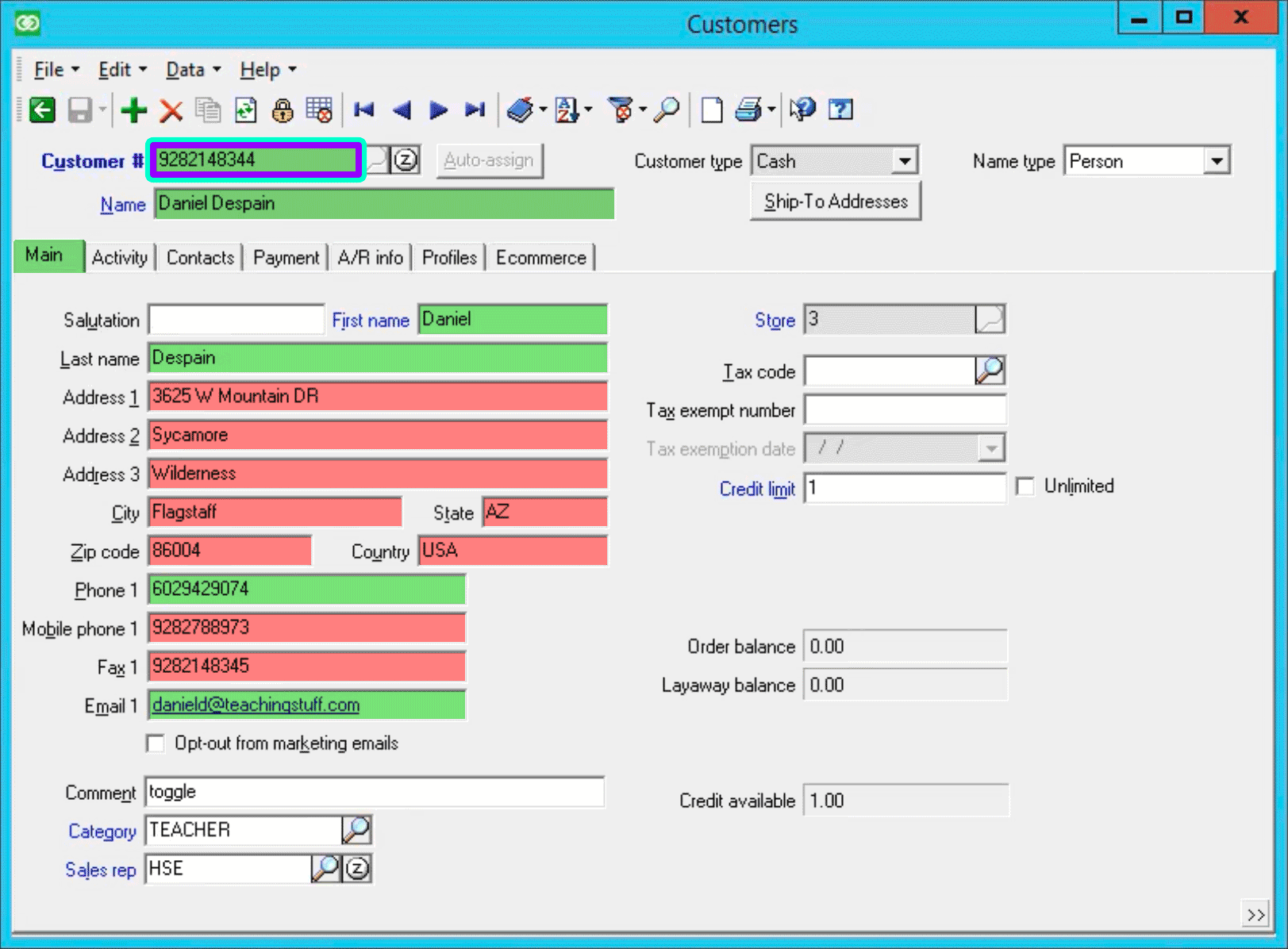
The Customers Window & Tabs
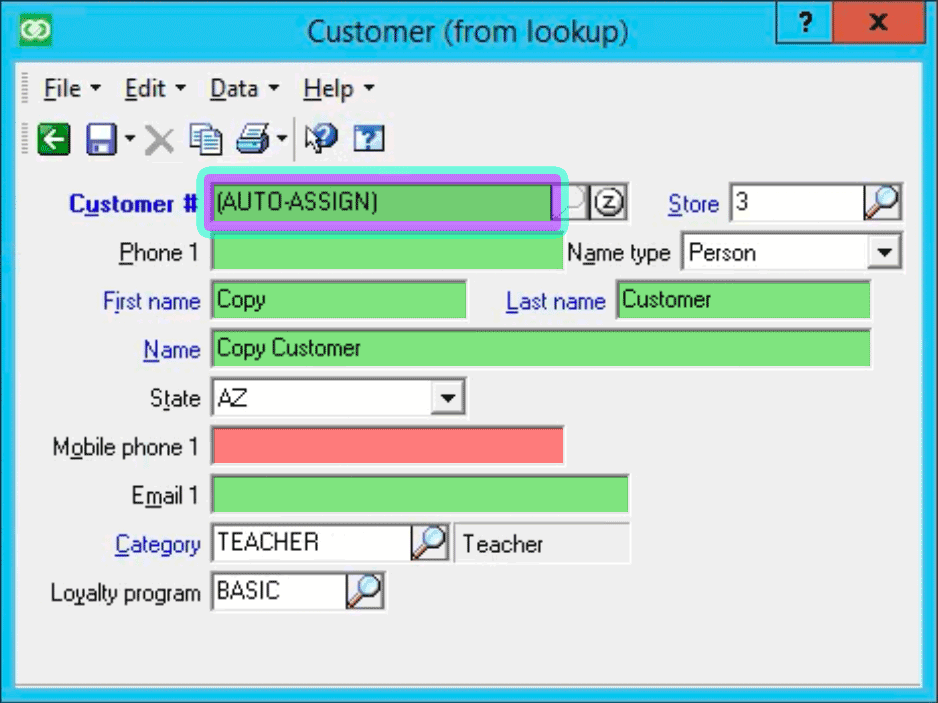
Searching for customers from the Customer LookUp window matces the fields highlighted in green:
Searching for customers from the Enter Customer window only matches, exactly, the fields outlined in violet & cyan.
The Add Customer (from lookup) Window
Searching for customers from the Customer LookUp window matces the fields highlighted in green:
Searching for customers from the Enter Customer window only matches, exactly, the fields outlined in violet & cyan.