Why Are Media Roles Necessary?
Sometimes the best image to show a customer doesn't work at all sizes. Sometimes different images for every role will be needed, and sometimes just one or two images will be sufficient. However, in many cases one image will work in all situations, and all roles can be assigned to the single media file. It just depends on the media.
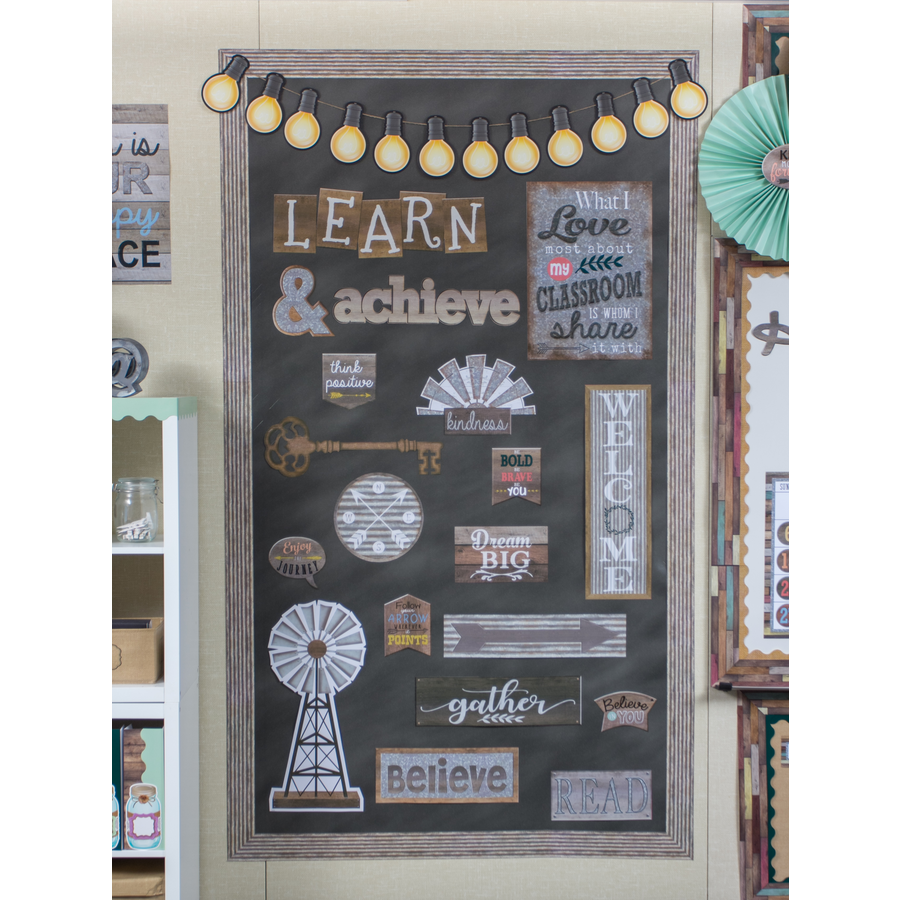
This image looks fine as a primary image when it's large.
The same image is more difficult to see when it's smaller in a collection of items.

This image is better for a collection of items. (Compare the key, welcome vertical banner, and gather accent.)
At the thumbnail size — such as a shopping cart summary list — both images are difficult to see.

This image is better for the thumbnail.





Swatches, for configuring options like color, are usually shown at a very small size as part of the website's interface.
When preparing swatch assets, remember that swatches can also be seen at larger sizes.
Assigning Media Roles
Media can be assigned to one or more possible roles.
- Each role must be assigned to a media file.
- By default, roles are automatically assigned to the media file at the top of the sort order.
Primary Role

Collection Role

Thumbnail Role

Swatch Role
